Tag | Parent | Children | Description |
<Utilities> | None | <Utility Version=”1”> | The top-level tag in a utility file that acts as a container for all other tags in the file. |
<Utility Version=”1”> | <Utilities> | <Name> <Tooltip> <Command> <CommandBlock> <CommandOutput> <SelectionFile> <SuperselectionFile> <ReturnFile> | An individual utility must be enclosed in the All tags except |
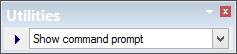
<Name> | <Utility Version=”1”> | None | The name of the utility to be displayed in the Utilities toolbar. Example: <Name>Show command prompt</Name>
|
<Tooltip> | <Utility Version=”1”> | None | A brief description of the utility; displayed in the Status bar when the cursor is positioned over the Utilities toolbar. |
<Command> | <Utility Version=”1”> | None | The full external process to be run, including any necessary parameters. Certain special keywords represent both a file path and name passed to the external process and also a command to the original application, including: • • • These tags are explained below. Example: <Command>cmd.exe /c copy %SelectionFile% %ReturnFile%</Command> |
<CommandBlock> | <Utility Version=”1”> | None | An optional way to block the current application until the external process is complete. There are two possible values for this tag: • True: The application is blocked (waits) until the external process is finished. • False: The application continues while the external process runs. Note: The current application is always blocked if %ReturnFile% is used in the <Command> tag. |
<CommandOutput> | <Utility Version=”1”> | <OutputFile> <OutputWindow> | A parent container for child elements that define how to display text produced by the external process. |
<OutputFile> | <CommandOutput> | None | [Optional] A complete filename and path for a new file if text produced by the external process is to be output to a log file. |
<OutputWindow> | <CommandOutput> | None | Text produced by the external process is to be logged in the Output window of the current application. |
<SelectionFile> | <Utility Version=”1”> | <FileType> <FileName> <FilePath> | This tag is used to export a selection from the current application to an external process. It acts as a container for the child elements that describe how to perform the export. This tag is only used if %SelectionFile% is used in the <Command> tag. |
<SuperSelectionFile> | <Utility Version=”1”> | <FileType> <FileName> <FilePath> | This tag is used to export a superselection from the current application to an external process. It acts as a container for the child elements that describe how to perform the export. This tag is only used if %SuperSelectionFile% is used in the <Command> tag. |
<ReturnFile> | <Utility Version=”1”> | <FileType> <FileName> <FilePath> | A parent container for the child elements that define how to return the resulting file from an external process and have it opened in the current application when the process is complete. This is only used if %ReturnFile% is used in the <Command> tag. |
<FileType> | <SelectionFile> <SuperselectionFile> <ReturnFile> | None | The type of file to be created for any of the parent tags. This can be HOB, GML, or SHP. |
<FileName> | <SelectionFile> <SuperselectionFile> <ReturnFile> | None | The file name and extension of the selection, superselection, or return file. |
<FilePath> | <SelectionFile> <SuperselectionFile> <ReturnFile> | None | The complete file path to the folder of the selection, superselection, or return file. |