Menu | Model > New Feature > Station Catalogue |
Tool |
|
Pop-up | Create New Station Catalogue |
The New Station Catalogue command is used to define the distribution and labelling of stations along a continuous sequence of alignments.
The station catalogue is an important part of shoal detection. In order to perform shoal detection, the reference model must have a station catalogue created for the model and that station catalogue must have an appropriate alignment and template assigned to it.
To create a new station catalogue, a series of alignments and templates must exist and be available (for information on creating alignments and templates see New Alignment Features and New Template Features).
1. Select the (New Feature) Station Catalogue command.
Menu | Model > New Feature > Station Catalogue |
Tool |
|
Pop-up | Create New Station Catalogue |
The Model Feature window displays the Identification tab.
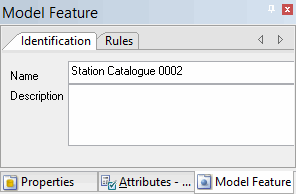
2. [Optional] Edit the default name of the station catalogue by typing a new value in the Name field and pressing <Enter>.
3. [Optional] Type a description for the station catalogue and press <Enter>.
4. Select the Rules tab.
Rules
The Rules tab is displayed in the Model Feature window.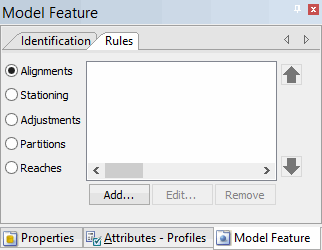
5. Select the feature rules to add or modify.
To add or modify feature rules, see the following sections:
• Reaches
