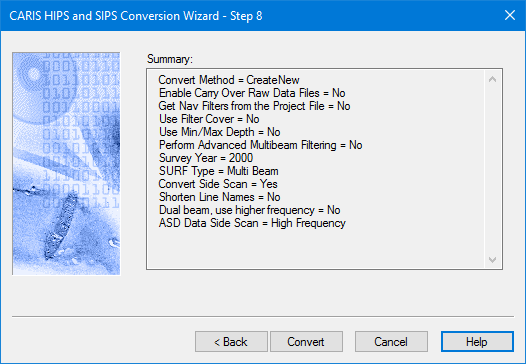
The final step is to launch the conversion process.
The settings and parameters you have selected are displayed in the dialog box. This information can be copied to a text file, using the Copy command on the right-click menu.
To convert the data using the settings:
1. Click Convert.
Conversion progress
A progress indicator bar along the bottom of the box is activated as the files are being processed. As each line is converted, the results of the conversion process are displayed in the dialog box.
This information can also be copied to a text file.
The converted files are saved in the directory you selected in Step 2 of the conversion process (see Step 2: Select Files for Conversion).