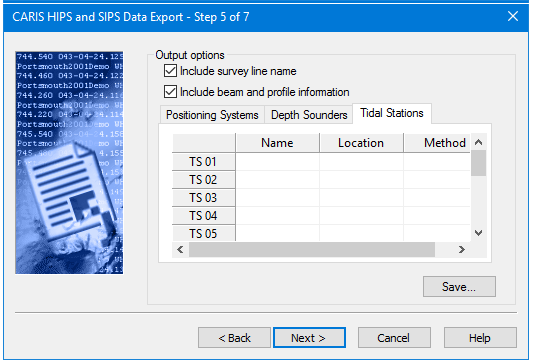
If you entered values in the depth sounder, positioning system, and tidal station fields in the previous dialog box then the respective fields in these tabs are enabled.
• The Positioning Systems tab is for the name and model of the sonar system used on the survey.
• The Depth Sounders tab can accept name and mode of sonar (multibeam, single beam, multi transducer).
• The Tidal Stations tab is for name, location and method used to acquire tide data (predicted, observed, etc.).
The number of activated fields in these tabs depends on the number of positioning systems, tidal stations and depth sounders reported in the previous step.
Procedure
1. Select the Include Survey Line Name check box to include this information in the HTF file.
2. Select the Include Beam and Profile Information check box to include the beam and profile numbers in the HTF file.
3. If fields are enabled in the respective tabs, type the name, and other information in the fields.
4. Click Save to save information to a new or existing HTFT file.
5. Click Next.