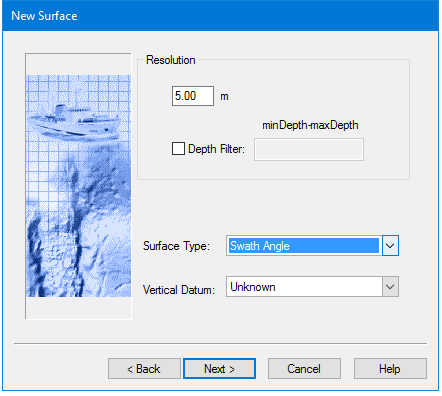
The Resolution value sets the distance(s) between surface nodes. The same single resolution value for the entire surface is set based on a range of depths to include in the surface by using the Depth Filter option.
Interface
The options for setting resolution are in this dialog box.
Resolution value is set in the units set in units as set in Tools > Options > Display > Units > Ground Units.
The specific options for the type of surface set here are available in the next dialog box.
The Vertical Datum set for the surface will be maintained in products created from it, such as finalized or interpolated surfaces. The Vertical Datum setting for a selected surface can be seen and changed in the Properties window.
Procedure
1. Enter a resolution value.
2. Select Depth Filter and enter a range of depths.
3. Select a Surface Type from the list.
4. Select the Vertical Datum, if known, from the list.
5. Click Next. to set options for adding data lines. New Surface - Add Survey Lines