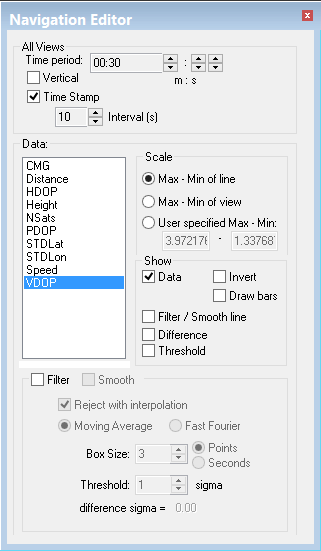
Display of various aspects of the data in Navigation Editor is controlled by the options on the Navigation Editor.
Vertical
By default the data in the graphs is displayed horizontally. To change the display:
8. Select the Vertical check box.
Time Stamps
Display lines to represent time stamps in Navigation Editor windows. The time stamp interval is displayed in seconds and can be changed.
9. Select the Time Stamp check box to display time stamp lines.
10. Click the up or down arrow buttons beside the Interval to select the gap (in seconds) between time stamps.
Scale
When this option is selected the vertical scaling of the graphs fits the maximum and minimum range of values for the entire line. Otherwise the vertical scaling of the graphs fits the max-min range of the data currently in view.
1. Open the Control window.
2. Select the Navigation tab.
3. Select the Max-Min of Line check box.
Filter /Smooth line
1. Select the Filter / Smooth line check box to display the line in the Display window.