.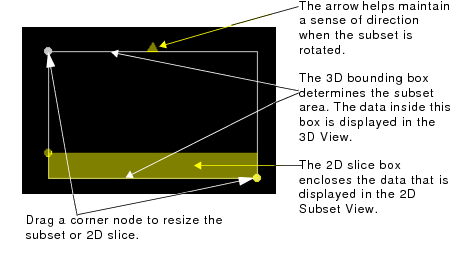
The amount of data viewed in Subset Editor is determined by the subset bounding box. As the bounding box area is changed, a new subset is generated and the displays in the 2D and 3D Views are refreshed to show the new area.
.
Procedure
1. Position the cursor over any of the balls at the corners of the boxes.
2. Press and hold the mouse button and drag the ball.
3. As the ball moves with the cursor, the box is resized to a new area.
When the box is resized, a new subset is generated.
To rotate the subset:
1. Press and hold the <Ctrl> key.
2. Position the cursor over any of the balls at the corners of the subset bounding box.
3. Press and hold the mouse button to rotate the bounding box to the desired angle.