Menu | Edit > Track Lines > Rename |
Pop-up | Rename |
You can rename existing Day or Line folders after raw data has been converted to HIPS/SIPS format. The changed name is displayed in the Project window, and in the line directory for the line.
Procedure
1. Select a Day folder or Line in the Project window, or select a track line in the Display window.
2. Select the Rename command.
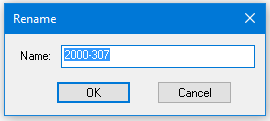
The Rename dialog box is opened with the selected line file or folder name displayed.
3. Enter a new name in the box. The new name cannot contain spaces.
4. Click OK.