Menu | File > Open via Source Plugin > (Available Plugins) |
Access external sources of data. Plugins let you display data without it being loaded automatically. A plugin sends a query to an external data source and displays the results of the query in a layer added to the Layers window.
There can be a maximum of ten plugins.
Plugins are defined by control IDs which are set in
C:\Program Files\CARIS\<CARIS application>\<version>\system\SourcePlugins.xml.
See the CARIS API Source Registry Plugin Reference Guide for more information.
Procedure
1. Select the Open via Source Plugin command and select a plugin from the list.
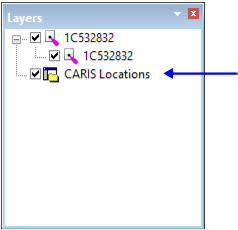
If data is already open, a single plugin layer is added.
2. Right-click on the layer and select SourceQuery from the pop-up menu.
The query in the plugin is run and the appropriate data is opened. A child layer is created for the query.
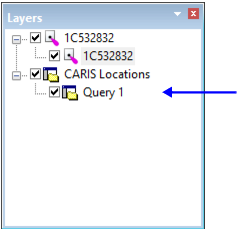
Refresh the screen or zoom to the query layer to see the data.
If no data is open, the query is run automatically:
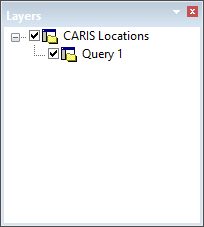
You can retrieve the sources of the data displayed by the plugin as follows:
1. Select one or more features from the query layer.
The selected features are listed in the Selection window.
2. Right-click the layer and choose Retrieve Source(s) from the pop-up menu.
The data is listed in the Layers window.