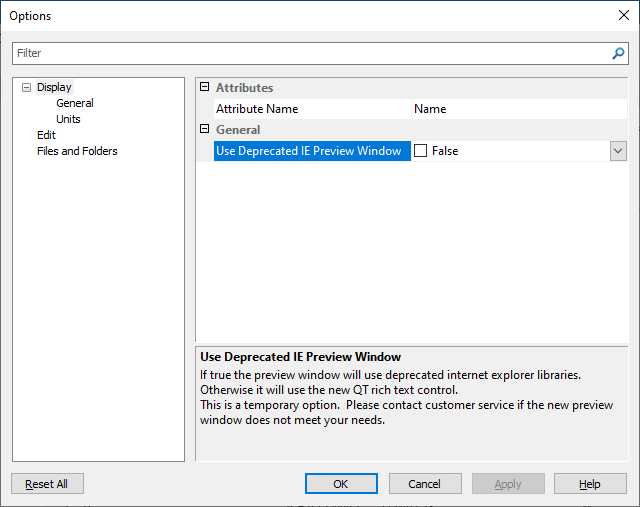
Earlier versions of the Preview window were based on Microsoft Internet Explorer, which is at end of life. If you prefer to use the Internet Explorer preview, select the Use Deprecated IE Preview Window option. This option is available from the General tab of the Options dialog box for the Publications Module (Tools > Options).
This is a temporary option.
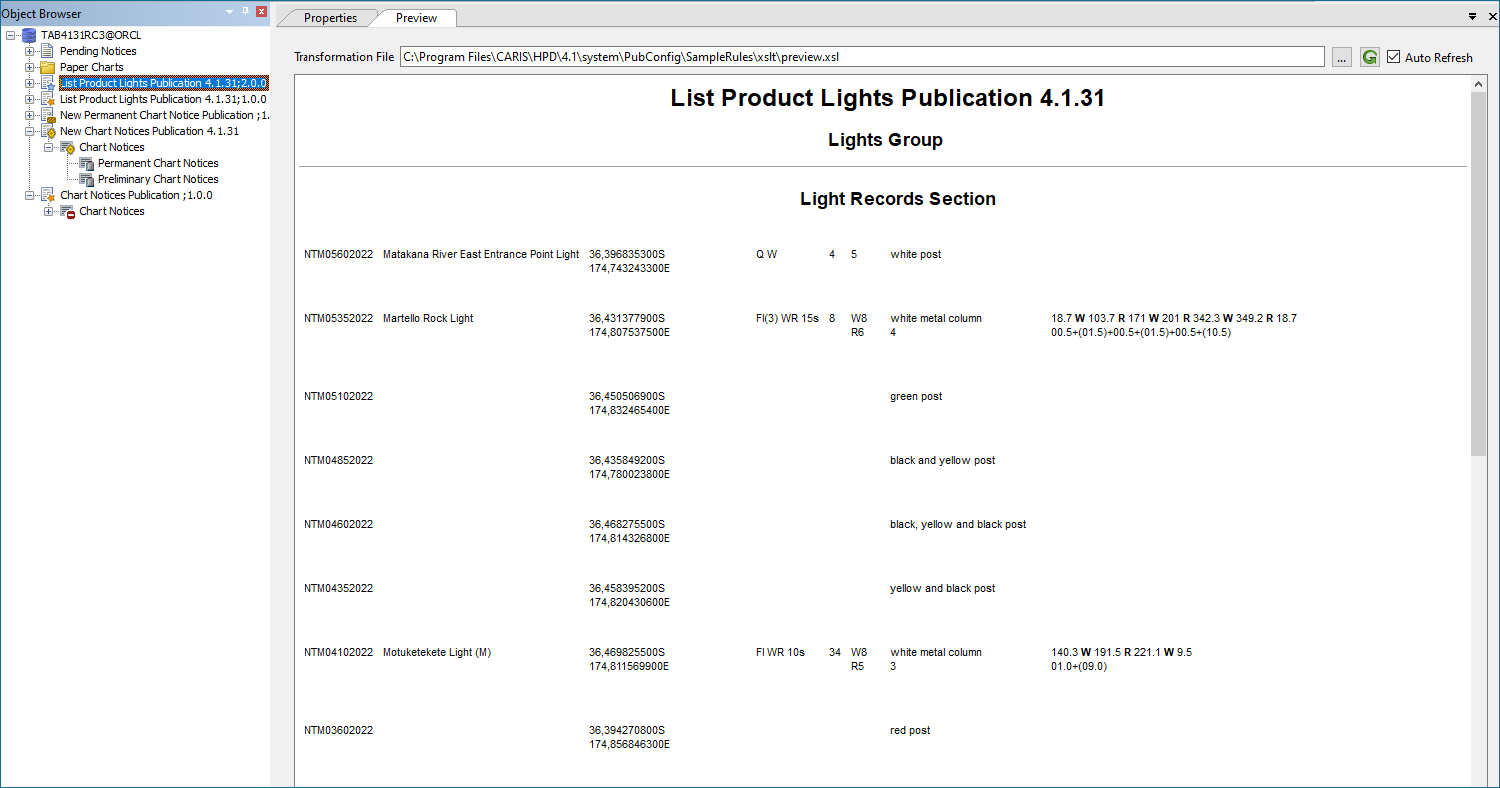
Formatting of the content of the Preview window is controlled through an XSLT (XML Transformation) file or a scripting language such as Python. See also Publications.
An example XSLT file called preview.xsl is located in C:\Program Files\CARIS\HPD\<version>\system\PubConfig\SampleRules.
To display a Publication in the Preview window:
1. Select the Preview window tab.
2. Select a publication section in Object Browser.
Tools are displayed across the top of the window.
3. Click browse ( ) to select the formatting script or XSLT file.
The path and name of the file are displayed in the Transformations File field.
You can make modifications and re-display the publication, although there may be a delay when refreshing the preview during editing.
4. Refresh the page after making a change using one of these methods:
• Click refresh ( ) to refresh the display manually, or
• Enable Auto Refresh to refresh automatically whenever a change is made.