 CARIS HPD Paper Chart Editor
 CARIS HPD Paper Chart Editor
CARIS HPD Product Editor
CARIS HPD Source Editor
CARIS S-57 Composer
CARIS Paper Chart Composer
Menu | Create > New Feature > Sounding |
Tool |
|
For complete information about creating new features, see Create Features.
You can only create features within the project or product boundaries.
Related commands:
• • • • • • | • • • • • |
Procedure
1. Select the Create Sounding Feature command.
2. Select the Acronym for the feature
• the choices vary with the catalog in-use.
3. The cursor changes to (  ).
).
4. Type the depth value
• The lower left of the Status bar will show "Sounding Depth:" and the value as you type it
• Depth can be positive or negative. A negative value indicates a drying height.
• If you do not enter a depth value now, a default of 0 is used. You can edit this later using the Coordinates window.
5. Soundings can be created interactively, or entered with exact coordinates.
• Digitise the location
OR
• In the coordinates window, enter the Latitude and Longitude and <Enter>
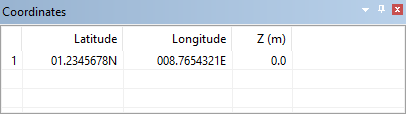
• The sounding will be shown in the display
If Repeat New Feature is on, you can add more soundings without reselecting the command.
To add a second sounding with the same depth as the first:
1. Click at a new location or enter coordinates as above.
To add a second sounding with a new depth:
1. Press <Backspace> once for each digit in the current depth,
• This will be shown in the Status bar.
2. Type a new depth.
• The new value will be shown in the Status bar
3. Digitise at a new location or enter coordinates as above.
A sounding with the new depth is added.
Sounding display is based on the sounding rounding rule selected in the Options dialog box or in the layer properties.
