 CARIS HPD Product Editor
 CARIS HPD Product Editor
CARIS HPD Source Editor
CARIS S-57 Composer
Menu | Create > Collection |
Create a collection from a selection of features.
A collection is a special S-57 or S-100 object that contains information about relationships between objects. Collections can contain other collection objects. Collections do not have any spatial representation and they cannot be filtered or selected.
Related commands:
• | • |
Interface
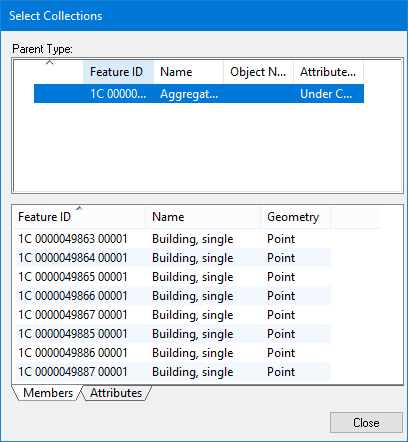
The Parent Type list contains the following information:
• Feature ID: The feature object ID
• Name: Collection object type
• Object Name
• Attribute Status
The list at the bottom displays the members or the attributes of the new collection, depending on which tab is selected.
Right-click on the feature ID of any item in the Parent list and select from the following commands:
Command | Description |
|---|---|
Add Members to Selection | Add all members of the collection to the existing selection. You would use this if you removed members from the selection and wanted to add all members back in. |
Create Selection from Members | Create a new selection containing only the members of the collection. |
Right-click on the feature ID of any member and select from the following commands:
Command | Description |
|---|---|
Add Member to Selection | Add the selected member to the current selection. |
Create Selection from Member | Create a new selection containing only the selected member. |
Procedure
1. Select one or more features.
2. Select the Create Collection command.
3. Select a collection acronym and set any necessary attributes.
4. Click OK.
A collection object is created.
The Select Collections dialog box is displayed.
5. Click Close.