 CARIS HPD Paper Chart Editor
 CARIS HPD Paper Chart Editor
CARIS HPD Product Editor
CARIS HPD Source Editor
Menu | Tools > Report > Selected Feature History |
Display the history of all actions taken on a selection or superselection. Actions such as geometry changes, attribute changes, certification, and deletions are listed. Similar information can be found in the History window.
Related commands:
• • • • | • • • • |
Procedure
1. Select a layer.
2. Select a feature or group of features.
3. Select the Report Selected Feature History command.
A report is displayed in the Output window.
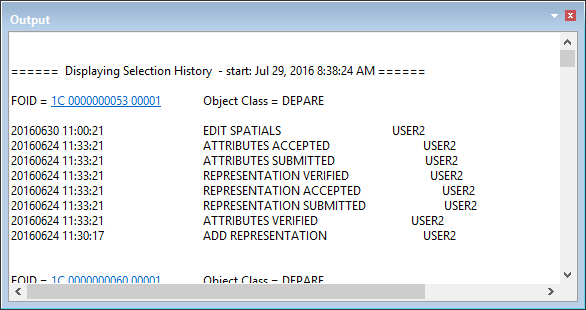
The information is displayed in four columns:
• the time stamp of the changes
• the feature acronym and a list of changes
• the associated schema name
• the projects associated with the change
The feature object ID is hyperlinked.
4. Click to select the feature in the Display window.
You can save the report to a text file:
5. Right-click in the Output window and select Save All from the pop-up menu.
6. Select a path and file name.