 CARIS HPD Product Editor
 CARIS HPD Product Editor
CARIS HPD Source Editor
Menu | File > Open > Selected HPD Product |
Open an existing product by selecting an open chart boundary.
To use this command, the chart boundaries must be visible in the Display window. See “Product Boundaries” in the Interface guide.
Related commands:
• |
Procedure
1. Make the chart boundary visible in the Display window.
2. Select the ENC Boundaries layer in the Layers window.
3. Select the boundary area of the product you want to open.
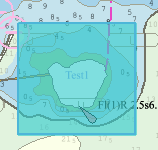
4. Select the Open Selected Product command.
The selected product is opened.